Dec 18, 2025
tutorialGetting Started with Temporary Mail
Learn how to use temporary email in 3 simple steps. Generate, copy, and use your disposable email address instantly.
John Shawa
Author

Getting started with temporary email is easy. You don't need to create an account or register. Just visit our website and you'll get a temporary gmail address for verification and other various use cases.
Step 1: Get Your Temporary Email
When you visit our homepage, a temporary email or gmail address is generated by clicking "generate" and that instanly provides with one. You'll see it displayed in the main interface. No forms to fill out, no registration needed.
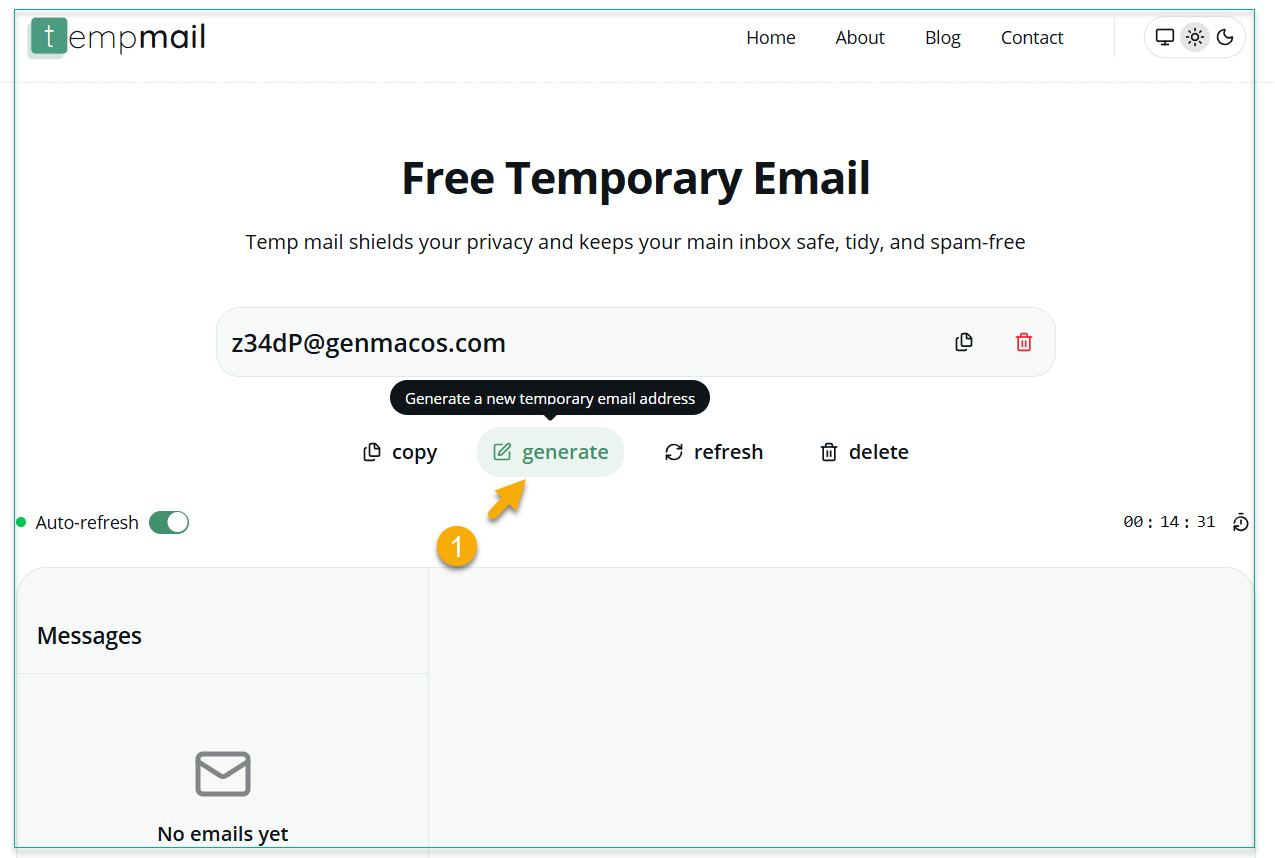
The email address looks like Hyt-Vb@domain.com and is ready to use immediately. You can copy it by clicking the copy button or selecting the text.
Step 2: Use Your Email
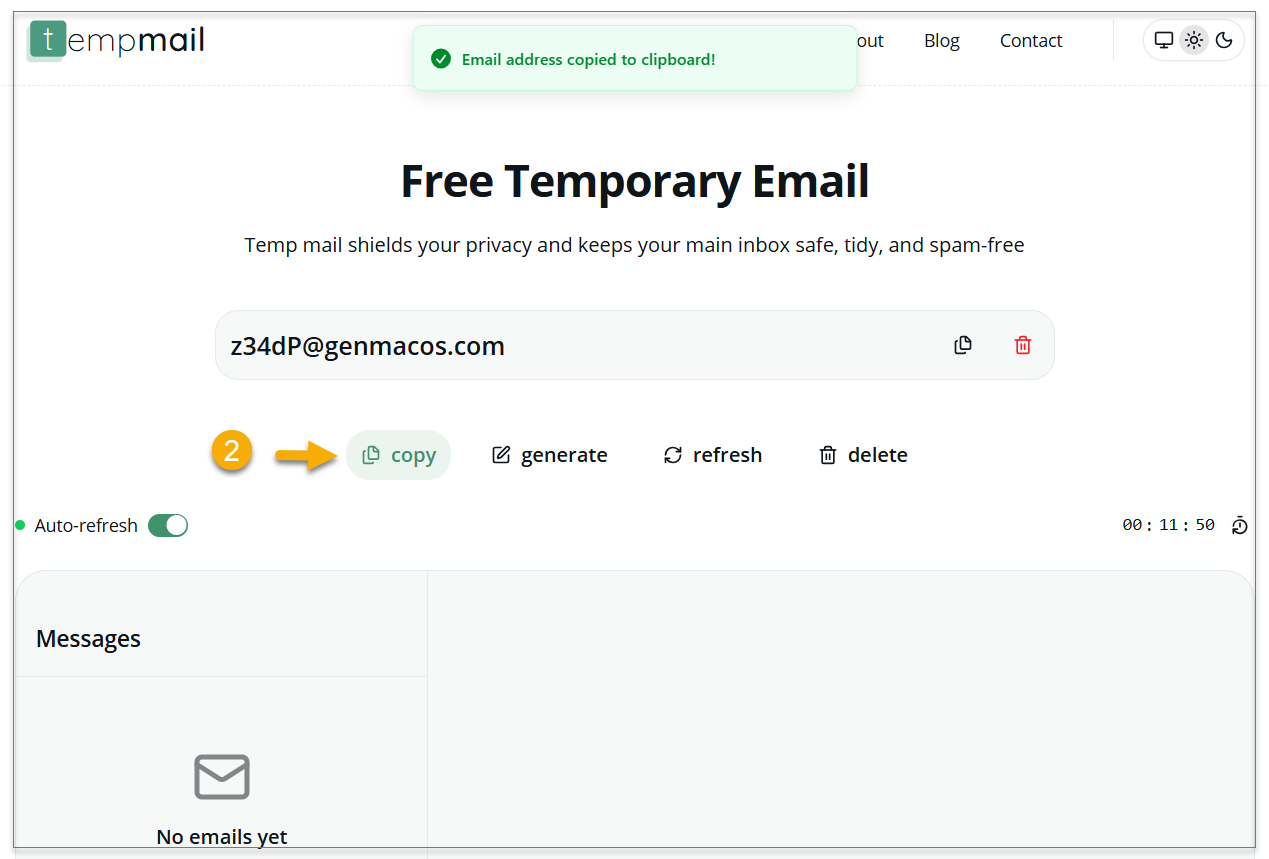
Copy your temporary email and use it anywhere you need an email address. This could be:
- Signing up for websites
- Downloading free resources
- Testing applications
- Receiving verification codes
Your temporary email works just like a regular email address for receiving messages.
Step 3: Check Your Inbox
Your temporary inbox updates automatically every few seconds. You'll see new emails appear instantly. Click on any email to read it.
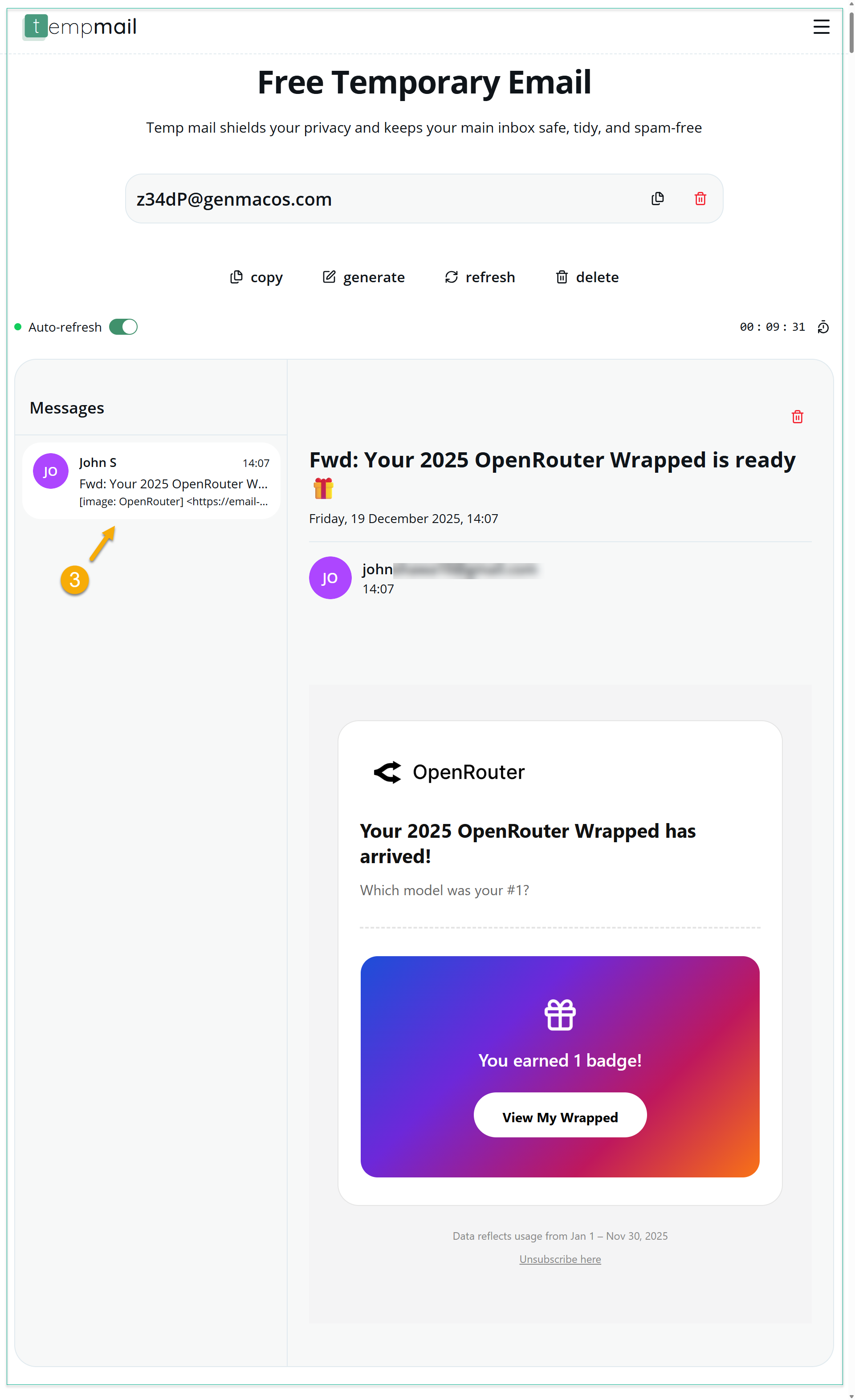
The email viewer shows you the full content, sender information, and timestamp. You can delete emails you don't need anymore.
Important Things to Know
Your temporary email expires after 15 minutes. You can see the countdown timer showing when it will expire. If you need more time, you can reset the timer using the reset icon displayed on the right side of the of the times to extend the disposable email expiry time.
Use temporary email for things you don't need long-term. Don't use it for important accounts like banking or work email.
It's especially useful when you don't want to give out your real email address and risk getting spam.
Getting Help
If you don't see any emails, try refreshing the page or check your internet connection.
For mobile users, the interface works the same way. Just visit our website on your phone and follow the same steps. Below is the mobile view.
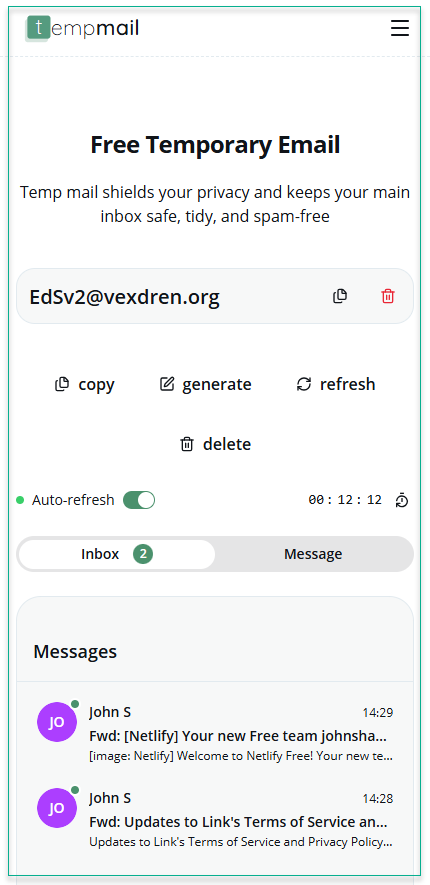
That's it! You now know how to use temporary email to safegaurd your privacy and avoid spam.